Shopify geolocation redirects
Send every shopper to the right store.
Geo:Pro detects where each visitor is and sends them to the store, domain or page you’ve set for their country, region or IP address.
- Trusted since 2017
- Free for up to 100 visitors a month
- 14-day free trial
What you can do
Redirect by country, region or IP address
Countries, regions and IP addresses
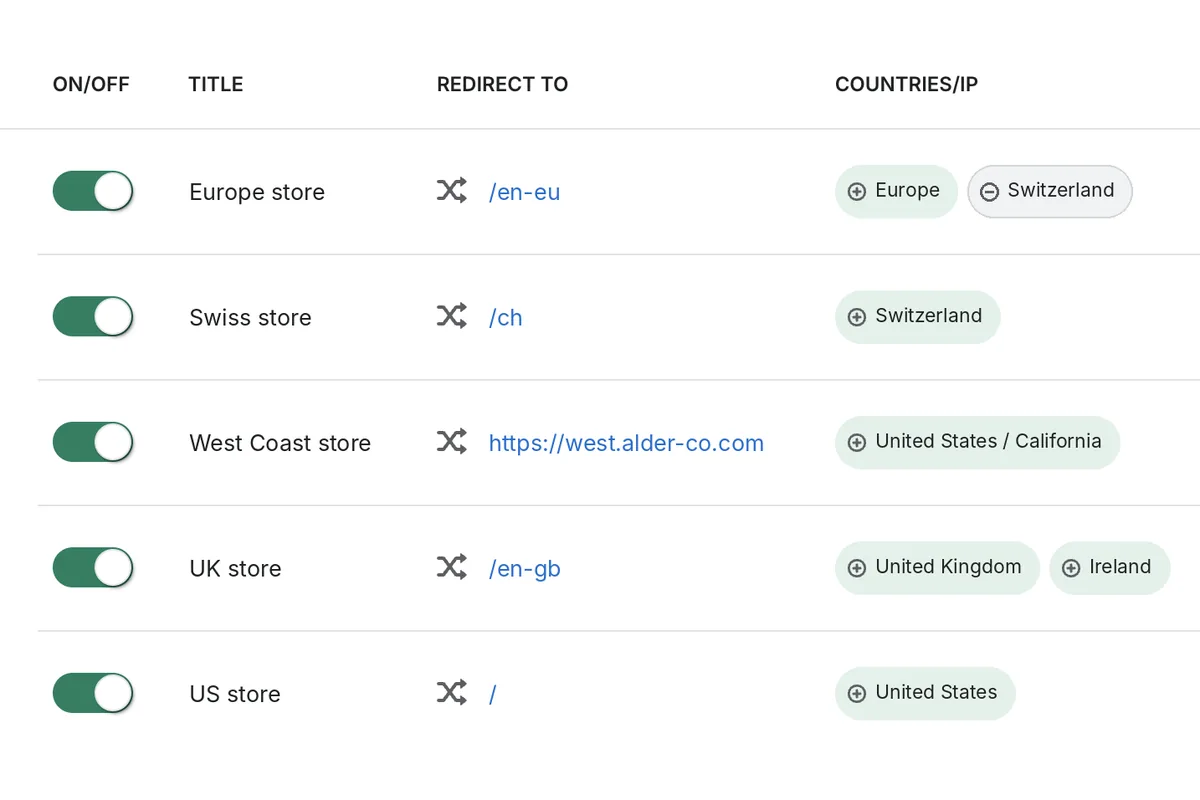
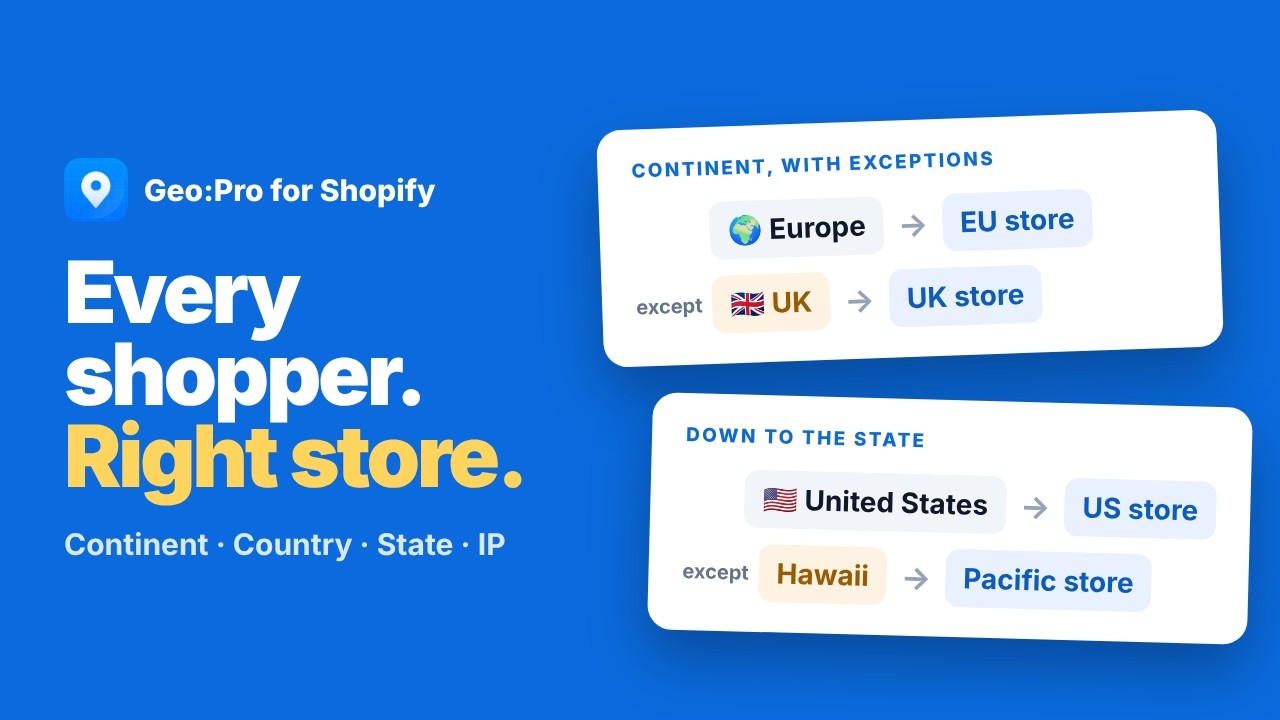
Target whole countries, groups like Europe, regions like California, or single IP addresses.
Exclude where you need to
Send Europe to your EU store but leave Switzerland out, with exclusions on any redirect.
Keep shoppers on the same page
A domain redirect keeps the page they asked for, so /pages/faq opens /pages/faq on the new store. Or send everyone to the homepage.
Redirect between your stores
Install Geo:Pro on each of your stores, choose the countries each one serves, and pick a default store for everywhere else.
Remembers each shopper’s choice
Shoppers who say yes can go straight to their store next time, and a store list in the popup or banner lets them pick a different one.
Search engines aren’t redirected
Verified Google crawlers see each store as it is, so every version can be indexed.
Video
Watch redirects in action
How it works
Live on your store in three steps
Install from the App Store
Add Geo:Pro to your store and switch it on in your theme settings.
Add your redirects
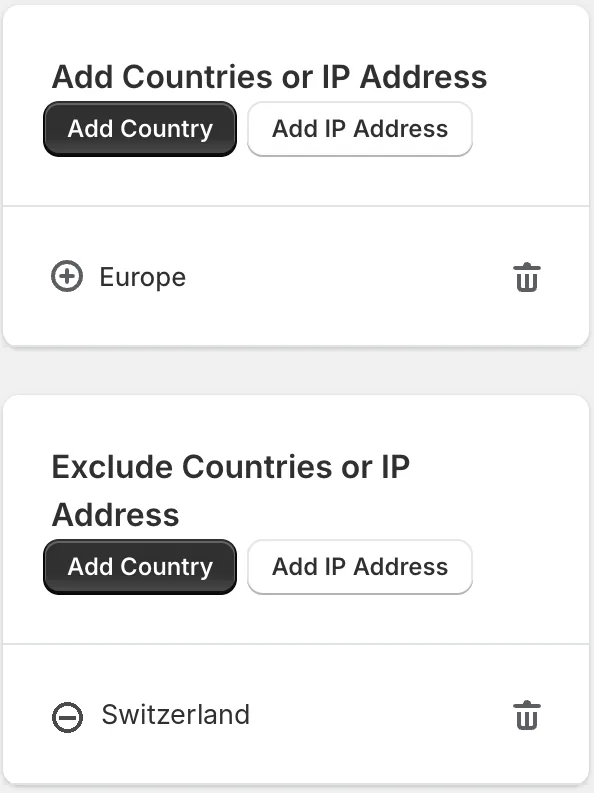
Choose the countries, regions or IP addresses, and the store, domain or page each one should go to.
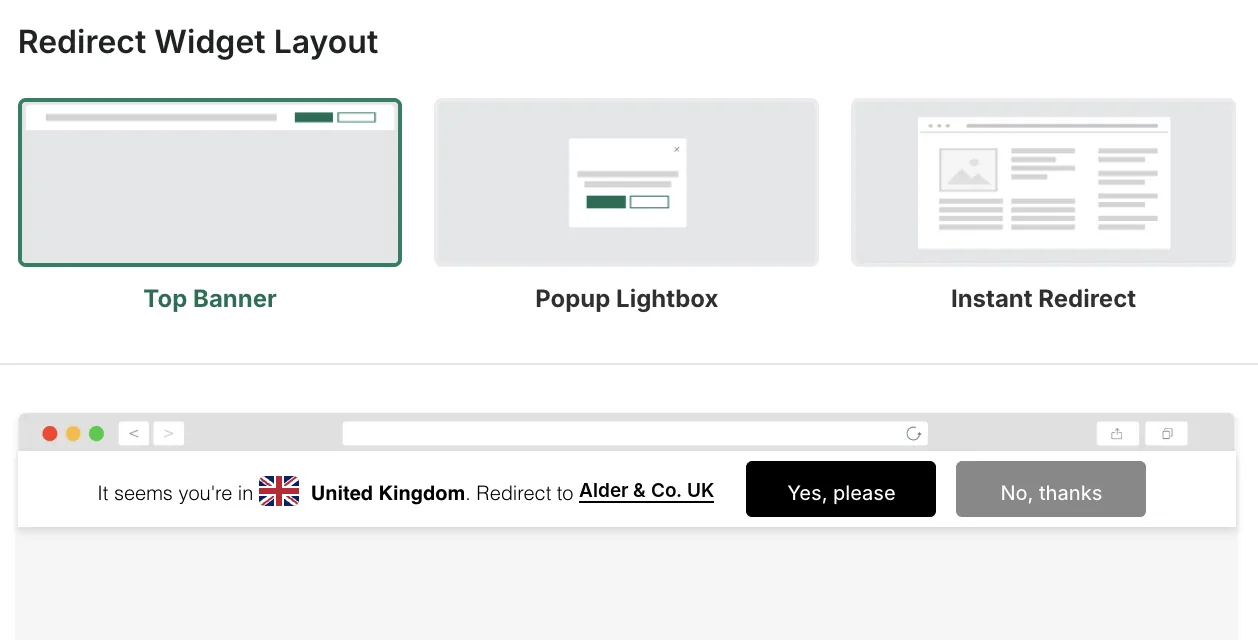
Pick how it looks
Ask first with a popup or a top banner, or send shoppers straight there with an instant redirect.
“The app is easy to set up and works well for our needs—redirecting Canadian customers that reach our US site to our Canadian site.”

Start free, upgrade as you grow
Pricing is based on your monthly visitors: free for up to 100, then from $4.99 a month.Every store starts with a 14-day free trial.
FAQ
Questions about geolocation redirects
How do I redirect visitors by country on Shopify?
Install Geo:Pro from the Shopify App Store and switch it on in your theme settings. Then add a redirect: choose the countries, regions or IP addresses, and the store, domain or page they should go to. Finally, pick a popup, a top banner or an instant redirect.
Can I redirect by state or region, not just country?
Yes. You can redirect regions such as California to a different store or page from the rest of the country, and combine countries, regions and IP addresses in one redirect.
Can I redirect shoppers to a different Shopify store?
Yes. A redirect can go to another Shopify store, any domain, or a page or folder on the same store. If you run several stores, install Geo:Pro on each one and choose which countries each store serves.
Can search engines still index each of my stores?
Yes. Geo:Pro doesn’t redirect verified Google crawlers, so search engines see each store as it is and can index every version.
Can shoppers stay on the store they’re on?
Yes. With the popup or top banner, shoppers can choose “No, thanks” and stay where they are, and Geo:Pro remembers their choice. If you’d rather send them straight there, use the instant redirect.
Also included
Every feature at every price
Shopify Markets redirects
Route shoppers to the right Shopify Market, so they see the right products, prices, currency and language.
Explore Shopify Markets redirectsCountry & IP blocking
Keep out the countries you don’t sell to, or specific IP addresses, and redirect everyone else.
Explore country & IP blockingPopup, banner & instant redirect
Choose how shoppers are redirected, then style it to match your store with the visual editor.
Explore redirect layouts
Trusted by brands like






Send every shopper to the right store
Built for Shopify, trusted since 2017, and free for up to 100 visitors a month.
Get Geo:Pro on the Shopify App Store