Shopify country & IP blocking
Sell where you ship.Block the rest.
Block whole countries, regions or single IP addresses from your store, and send everyone else to the right place, all from one app.
- Trusted since 2017
- Free for up to 100 visitors a month
- 14-day free trial
What you can do
Block countries, regions and IP addresses
Block whole countries
Add any country you don’t sell or ship to.
Block states and regions
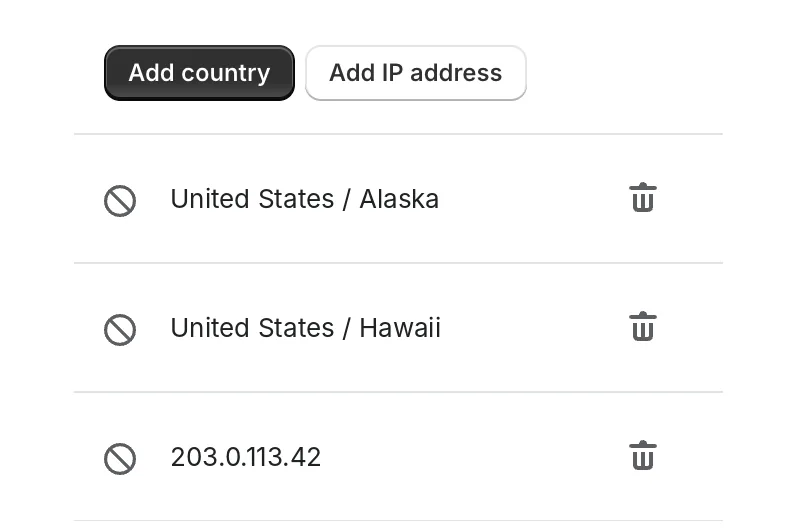
Block part of a country, like Alaska and Hawaii, and keep selling to the rest.
Block IP addresses
Keep out a single visitor or bot by its IP address.
Blocked visitors see a blank page
Anyone you’ve blocked sees a blank page instead of your store.
Block some, redirect the rest
Use the same app to send everyone you haven’t blocked to the right store, market or page.
Manage it all from the app
Add or remove a country or IP address whenever you need to, without touching your theme.
Video
Watch blocking in action

How it works
Live on your store in three steps
Install from the App Store
Add Geo:Pro to your store and switch it on in your theme settings.
Add countries or IP addresses
Open Country blocks and add the countries, regions or IP addresses you want to keep out.
Redirect everyone else
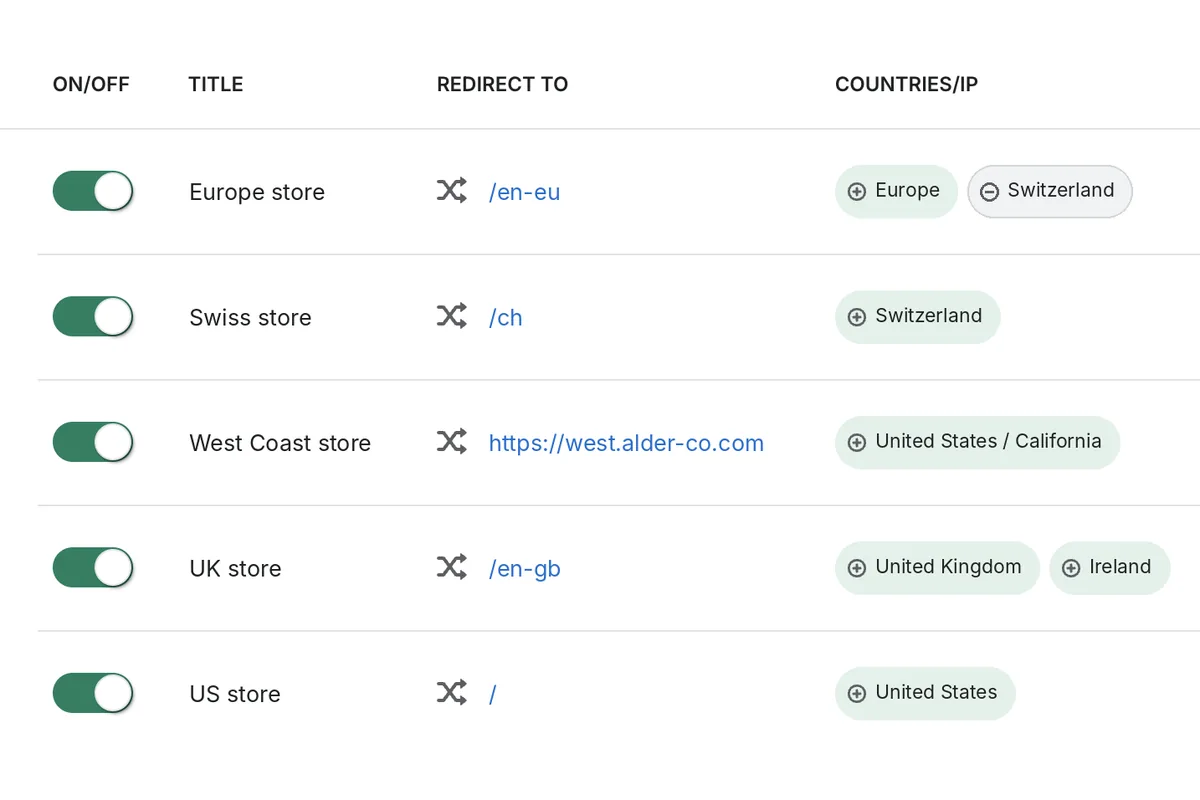
If you sell in more than one country, add redirects so other shoppers land in the right store.
“Easy to use. Had to block USA orders after tariffs were instituted and it was easy peasy.”
Start free, upgrade as you grow
Pricing is based on your monthly visitors: free for up to 100, then from $4.99 a month.Every store starts with a 14-day free trial.
FAQ
Questions about country & IP blocking
How do I block a country on Shopify?
Install Geo:Pro from the Shopify App Store and switch it on in your theme settings. Then open Country blocks, select Add country and choose the country or region. Visitors from there see a blank page instead of your store. To block one visitor, select Add IP address instead.
What do blocked visitors see?
A blank page instead of your store. Blocking applies to the countries, regions and IP addresses you add, and everyone else browses as normal.
Can I block part of a country?
Yes. You can block regions, such as Alaska and Hawaii, and keep selling to the rest of the country.
Can I block some countries and redirect others?
Yes. Block the countries or IP addresses you don’t sell to, and redirect visitors from everywhere else to the right store, market or page, all in the same app.
Will blocked visits still show in my analytics?
They can. Geo:Pro blocks visitors as your store loads, so a blocked visit may still be counted by Shopify’s analytics. Our help centre explains how to strengthen blocking.
Also included
Every feature at every price
Geolocation redirects
Send each visitor to the store, page or domain that’s right for their country, region or IP address.
Explore geolocation redirectsShopify Markets redirects
Route shoppers to the right Shopify Market, so they see the right products, prices, currency and language.
Explore Shopify Markets redirectsPopup, banner & instant redirect
Choose how shoppers are redirected, then style it to match your store with the visual editor.
Explore redirect layouts
Trusted by brands like





Block the countries you don’t sell to
Built for Shopify, trusted since 2017, and free for up to 100 visitors a month.
Get Geo:Pro on the Shopify App Store